> For the complete documentation index, see [llms.txt](https://docs.guardianservice.app/llms.txt). Markdown versions of documentation pages are available by appending `.md` to page URLs; this page is available as [Markdown](https://docs.guardianservice.app/technical-information/users/standard-registry-users-schemas-and-policies/policies/live-project-data-migration/live-project-data-migration-ui.md).
# Live Project Data Migration UI
## 1. Exporting Policy Data
We have added button "**Export policy data**" for published policies and dry-run policies.
By clicking you will get all policy data in the **.data** file.
Then you can use this file for migrating data to another policy.
## 2. Importing/Exporting Keys for Dry Run Policies
We have added buttons "**Export/Import virtual keys**" for dry-run policies.
By clicking you will get virtual user’s keys and DID Documents.
Then you can import it in another dry-run policy, where data was migrated from current policy.
## 3. Migrating Policy State to Destination Policy
We have added "**Migrate policy state**" flag to migrate data dialog.
When you enable it, you will migrate all policy state to destination policy (includes block states - steps, timers, multi-sign, split documents, aggregate documents, etc...)
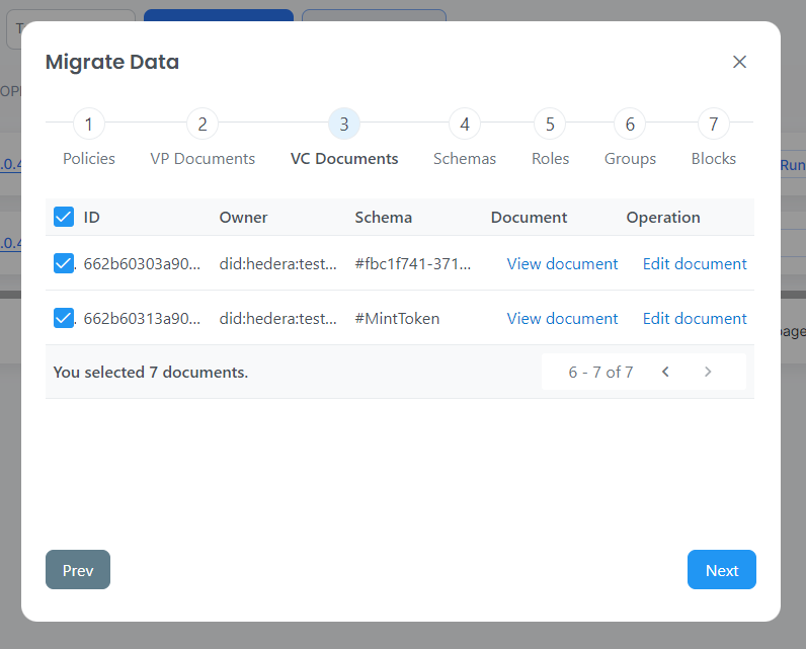
To get information about different steps in the below migration process screen, please refer to [Migration Process](https://docs.hedera.com/guardian-dev-1/guardian/standard-registry/discontinuing-policy-workflow/apis-related-to-discontinuing-policy-workflow/migratepolicy-data)
## 4. Change VC Document during Migration
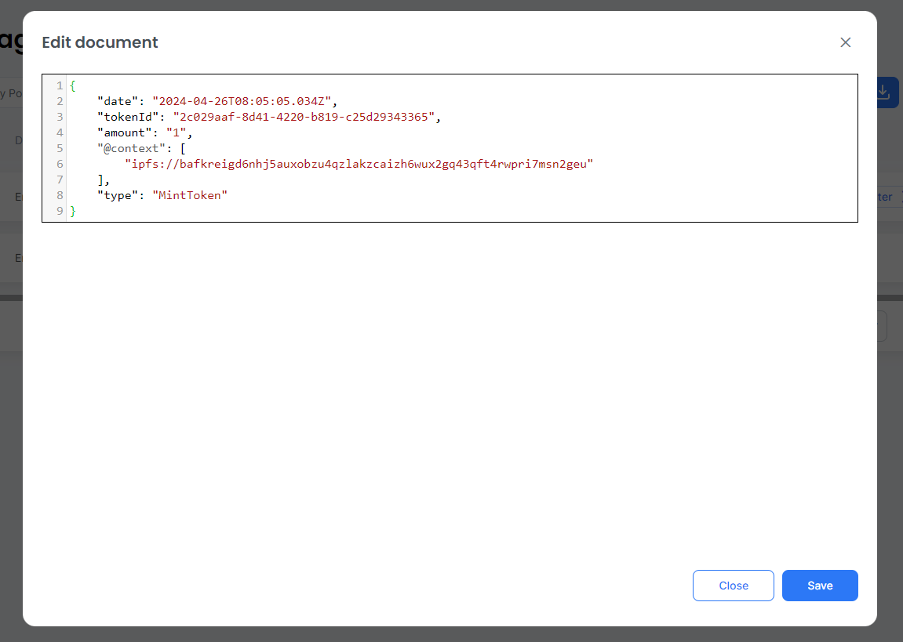
We have added ability to change VC which will be migrated by clicking on "**Edit document**" button under operations column: