> For the complete documentation index, see [llms.txt](https://docs.guardianservice.app/llms.txt). Markdown versions of documentation pages are available by appending `.md` to page URLs; this page is available as [Markdown](https://docs.guardianservice.app/technical-information/users/standard-registry-users-schemas-and-policies/policies/data-entry-updatability/demo-using-vm0042.md).

# Demo using VM0042

1. First, we will import the VM0042 policy:
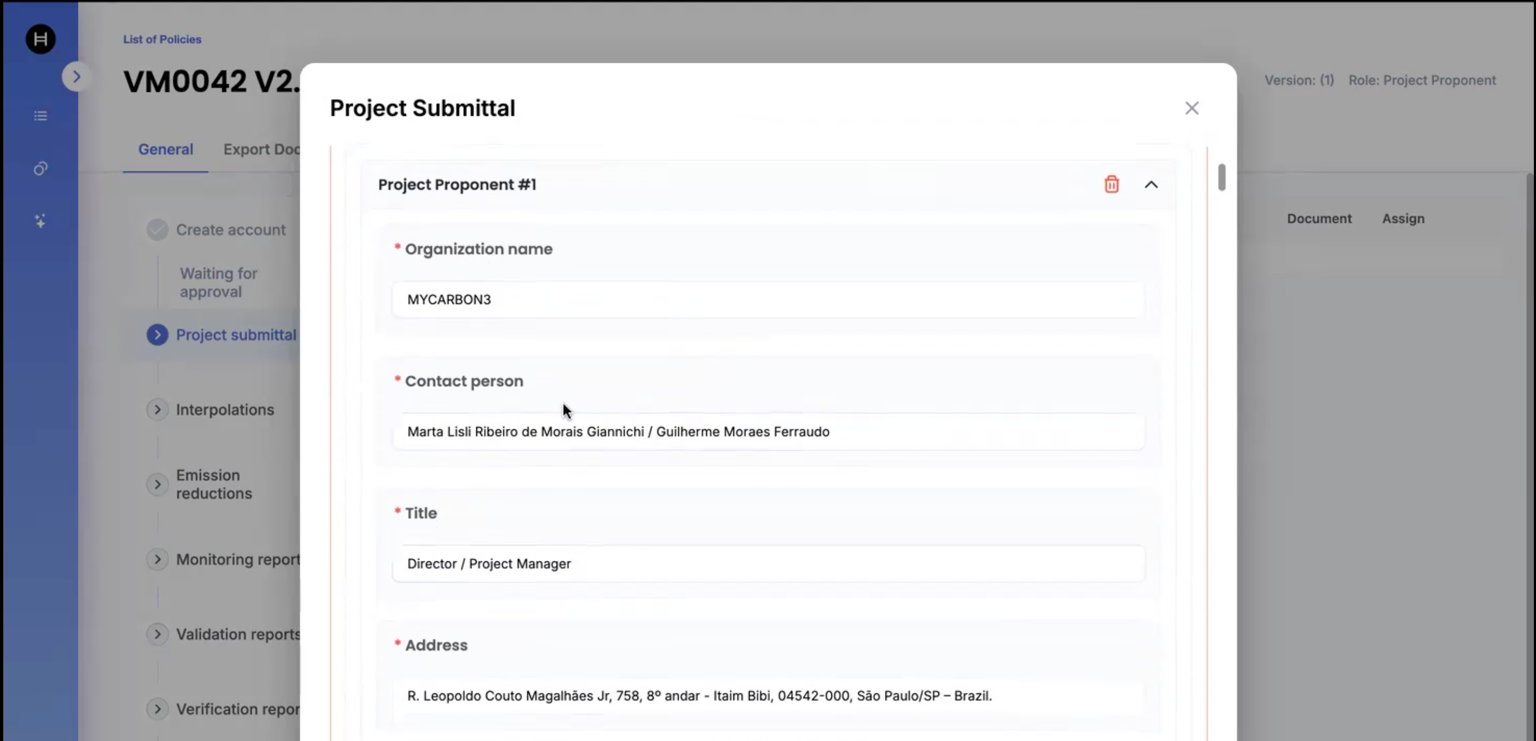
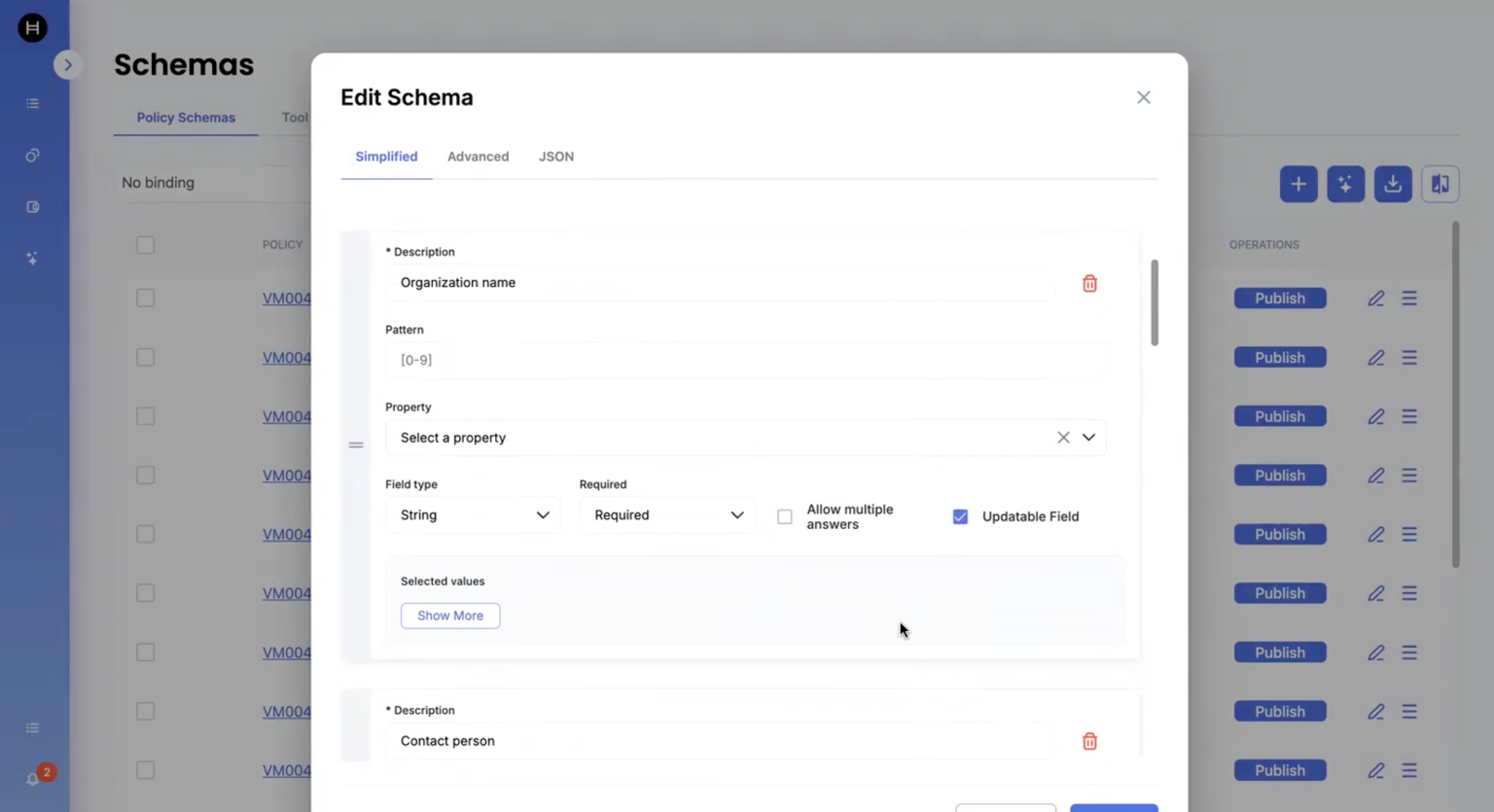
2. We will now edit some of the schema fields (Organization Name, contact person, Address,Email) as updatability field and save it.

<figure><img src="https://3006114282-files.gitbook.io/~/files/v0/b/gitbook-x-prod.appspot.com/o/spaces%2FXVOaWpJKxLZf1Tee9eCO%2Fuploads%2F7qQjaujZcNXeT8pbuCpX%2Fimage.png?alt=media&amp;token=9946d9fa-960b-458a-ad05-e2e3761c16ab" alt=""><figcaption></figcaption></figure>

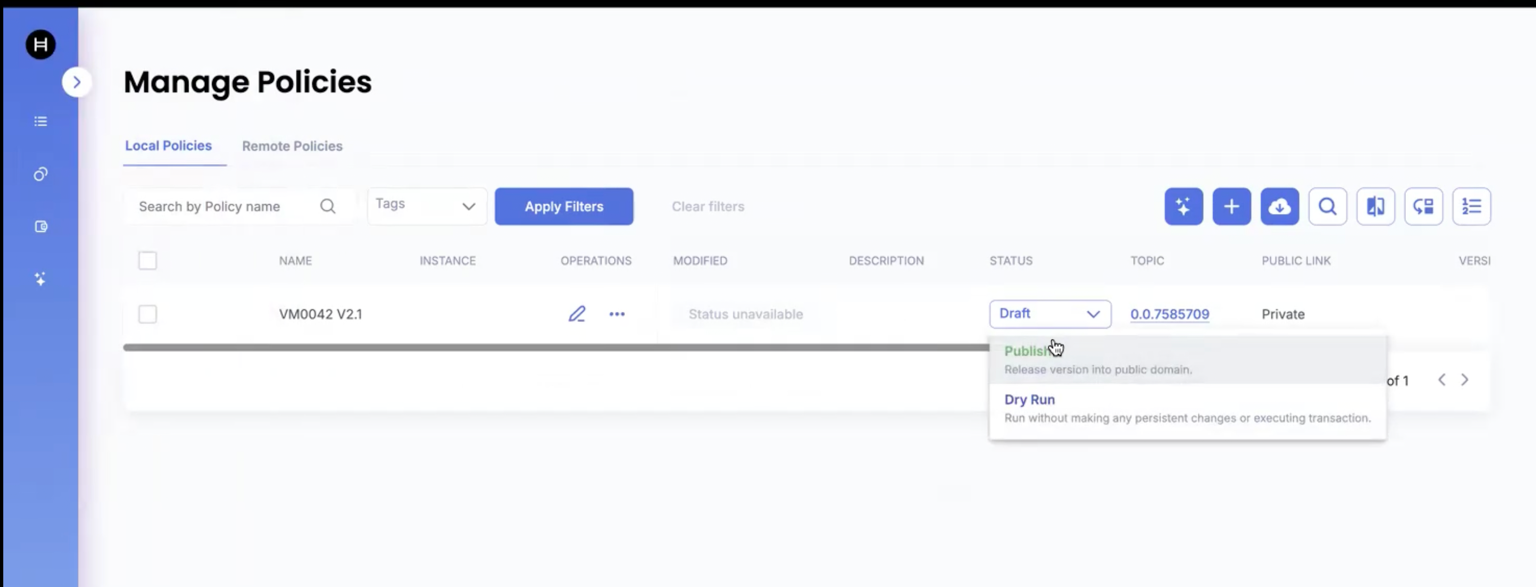
3. Once the changes are saved, we will now publish the policy:

<figure><img src="https://3006114282-files.gitbook.io/~/files/v0/b/gitbook-x-prod.appspot.com/o/spaces%2FXVOaWpJKxLZf1Tee9eCO%2Fuploads%2FbqO9cR6X8Yzrf9aXo3NC%2Fimage.png?alt=media&amp;token=51029fc4-25e8-47c1-8f0a-dca01d895370" alt=""><figcaption></figcaption></figure>

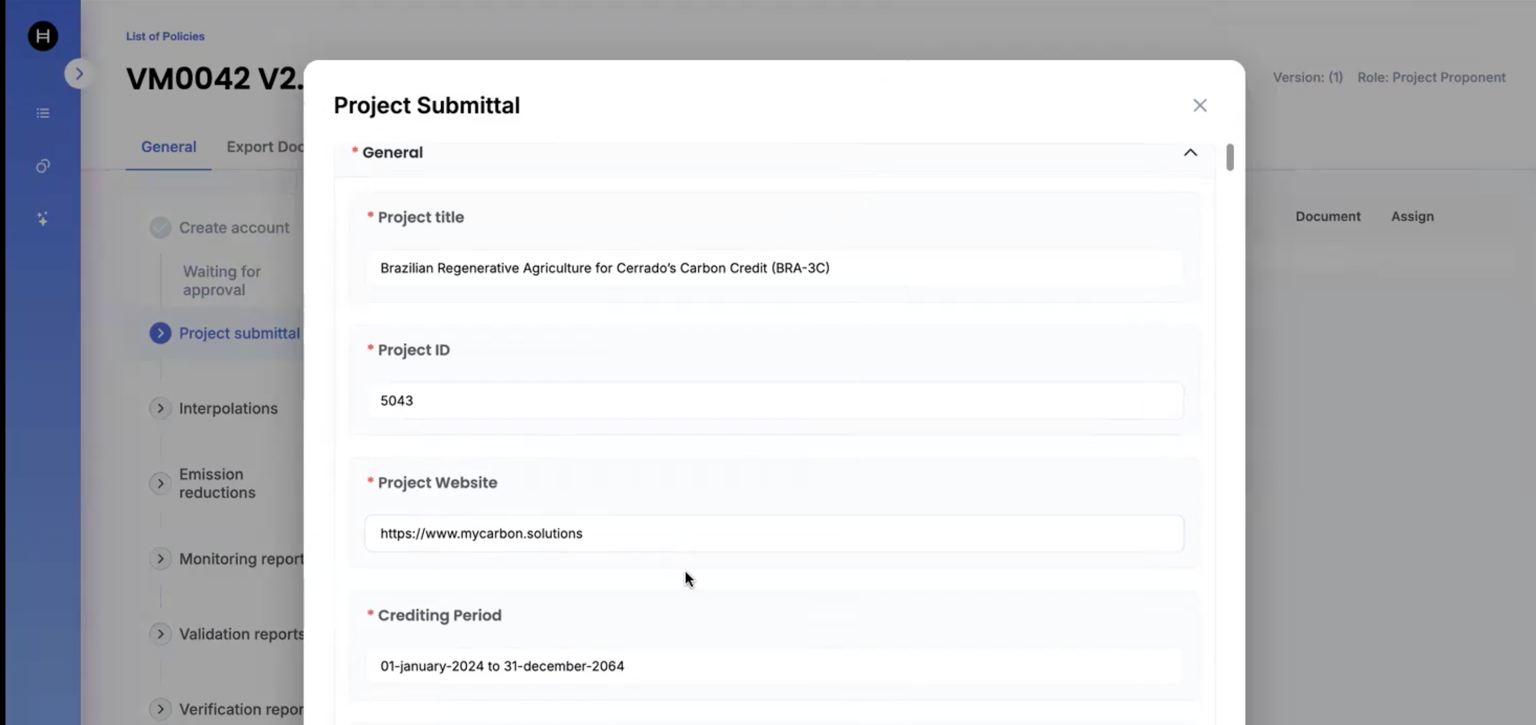
4. Now, we login as Project Proponent to submit project:

<figure><img src="https://3006114282-files.gitbook.io/~/files/v0/b/gitbook-x-prod.appspot.com/o/spaces%2FXVOaWpJKxLZf1Tee9eCO%2Fuploads%2FEy37xlytsyZWvnVvtdet%2Fimage.png?alt=media&amp;token=8b732cdd-cceb-4894-9ab6-747e01214514" alt=""><figcaption></figcaption></figure>

<figure><img src="https://3006114282-files.gitbook.io/~/files/v0/b/gitbook-x-prod.appspot.com/o/spaces%2FXVOaWpJKxLZf1Tee9eCO%2Fuploads%2FbmB7kJpctOHs12juq9HL%2Fimage.png?alt=media&amp;token=62e6952d-face-4f9d-86ea-211c0e19674b" alt=""><figcaption></figcaption></figure>

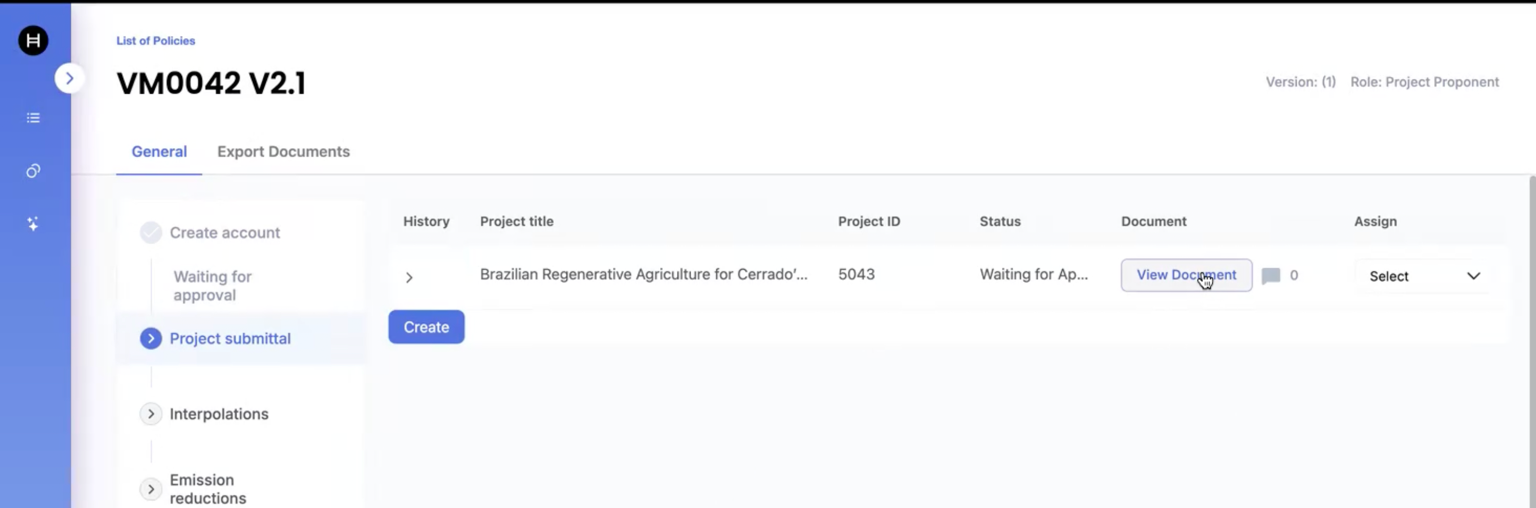
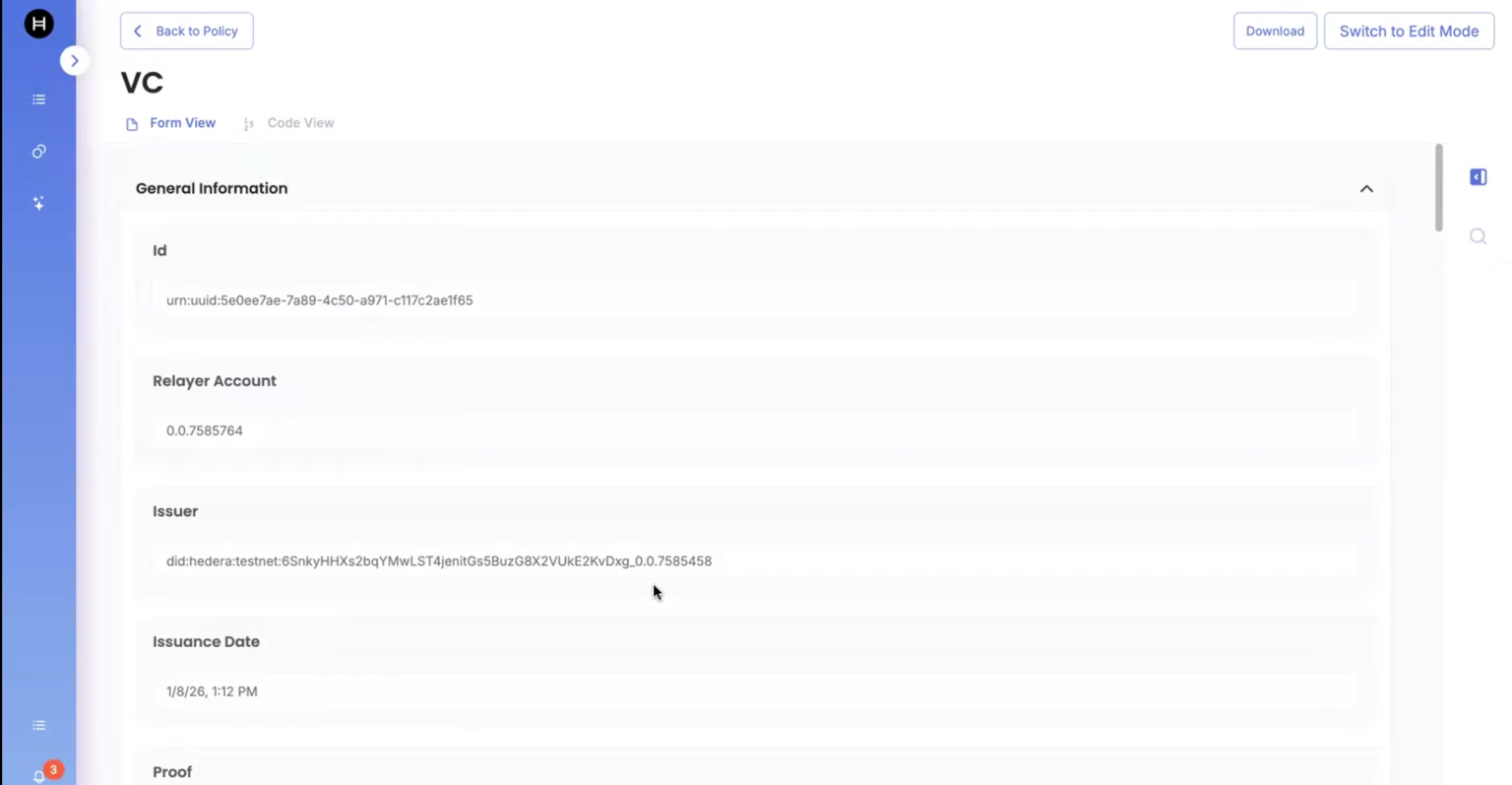
5. Once the project is submitted, we can view document by clicking on "View Document":

<figure><img src="https://3006114282-files.gitbook.io/~/files/v0/b/gitbook-x-prod.appspot.com/o/spaces%2FXVOaWpJKxLZf1Tee9eCO%2Fuploads%2Fb21BFI3kbiwyfDj33Mio%2Fimage.png?alt=media&amp;token=9e862ca7-2c8f-487d-b52b-dc264721f6f6" alt=""><figcaption></figcaption></figure>

<figure><img src="https://3006114282-files.gitbook.io/~/files/v0/b/gitbook-x-prod.appspot.com/o/spaces%2FXVOaWpJKxLZf1Tee9eCO%2Fuploads%2F0O6wTzFejQlEKIyljCv7%2Fimage.png?alt=media&amp;token=0a7bc346-427f-45de-ba11-55ef00e65ae0" alt=""><figcaption></figcaption></figure>

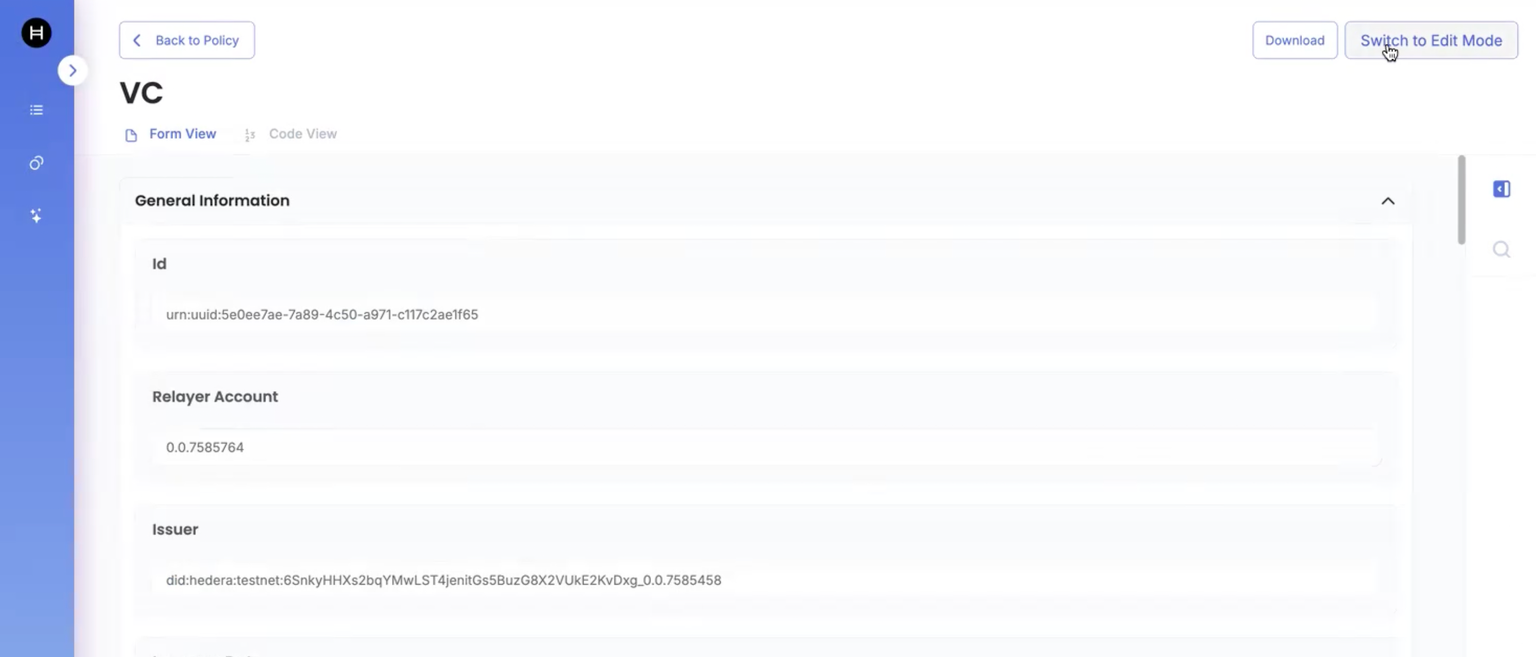
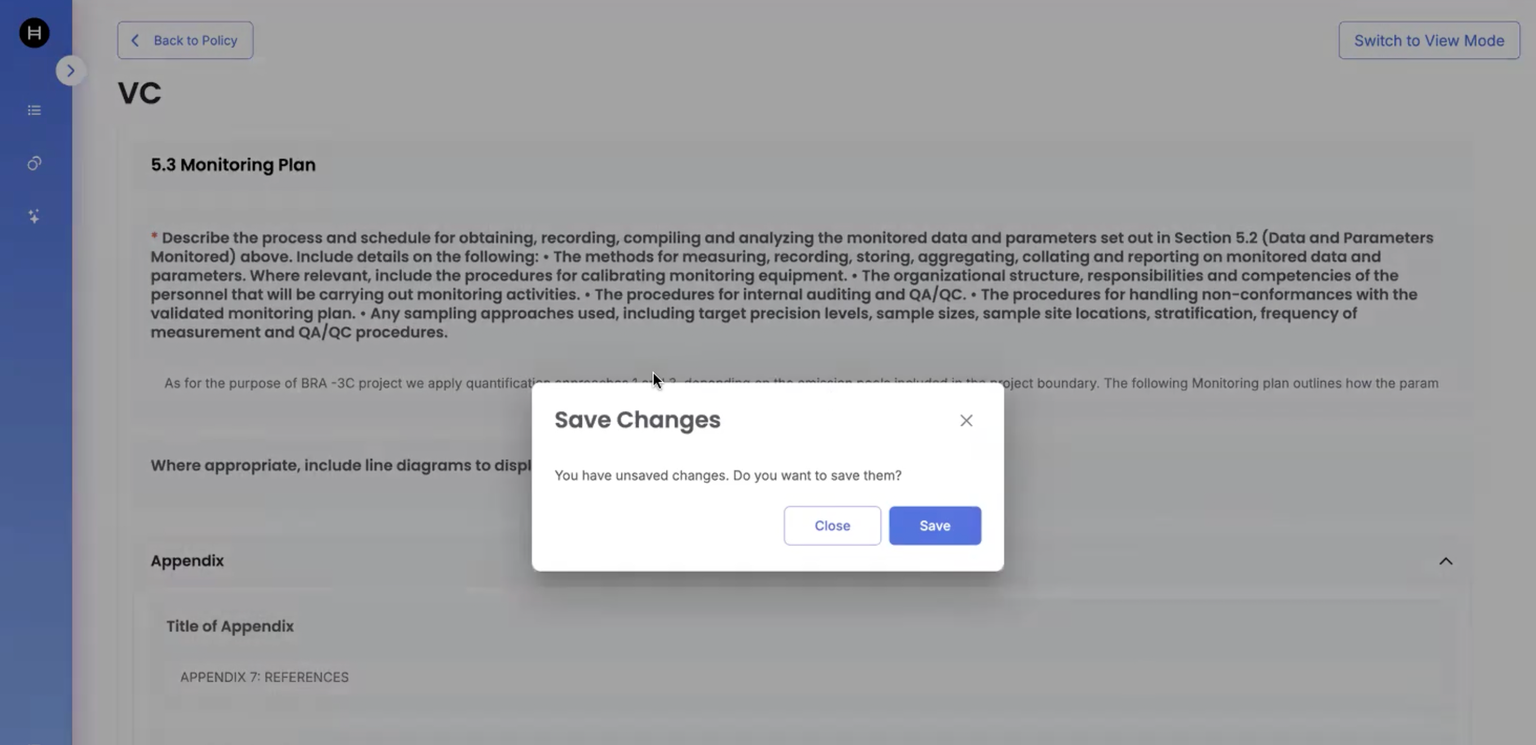
6. We would now be able to change the document view to Edit mode if we need to change values of the fields, which were marked as Updatable field:

<figure><img src="https://3006114282-files.gitbook.io/~/files/v0/b/gitbook-x-prod.appspot.com/o/spaces%2FXVOaWpJKxLZf1Tee9eCO%2Fuploads%2FUxAZfuGjUMSg8nwhaIWK%2Fimage.png?alt=media&amp;token=c87c254b-6e61-49cb-b578-a0820966e9ba" alt=""><figcaption></figcaption></figure>

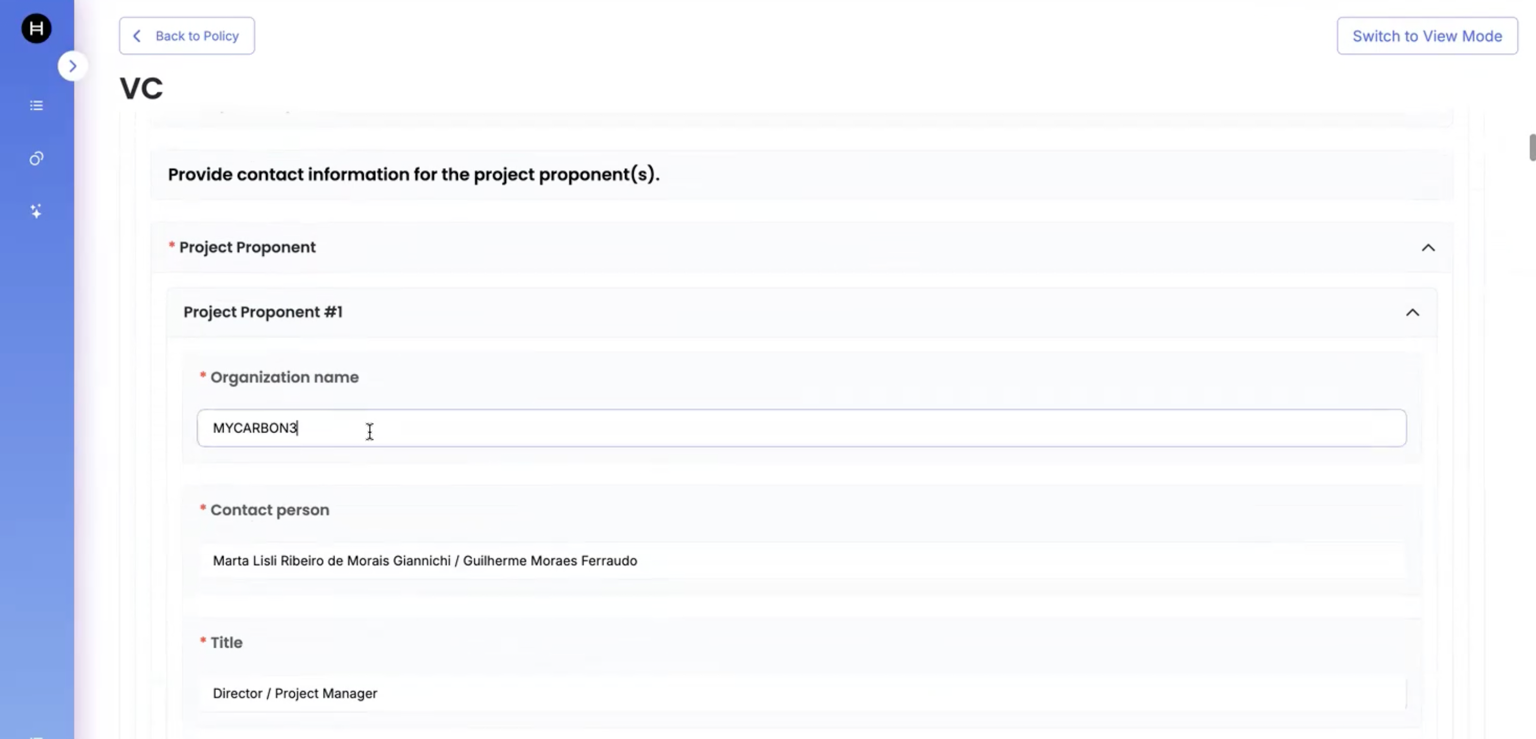
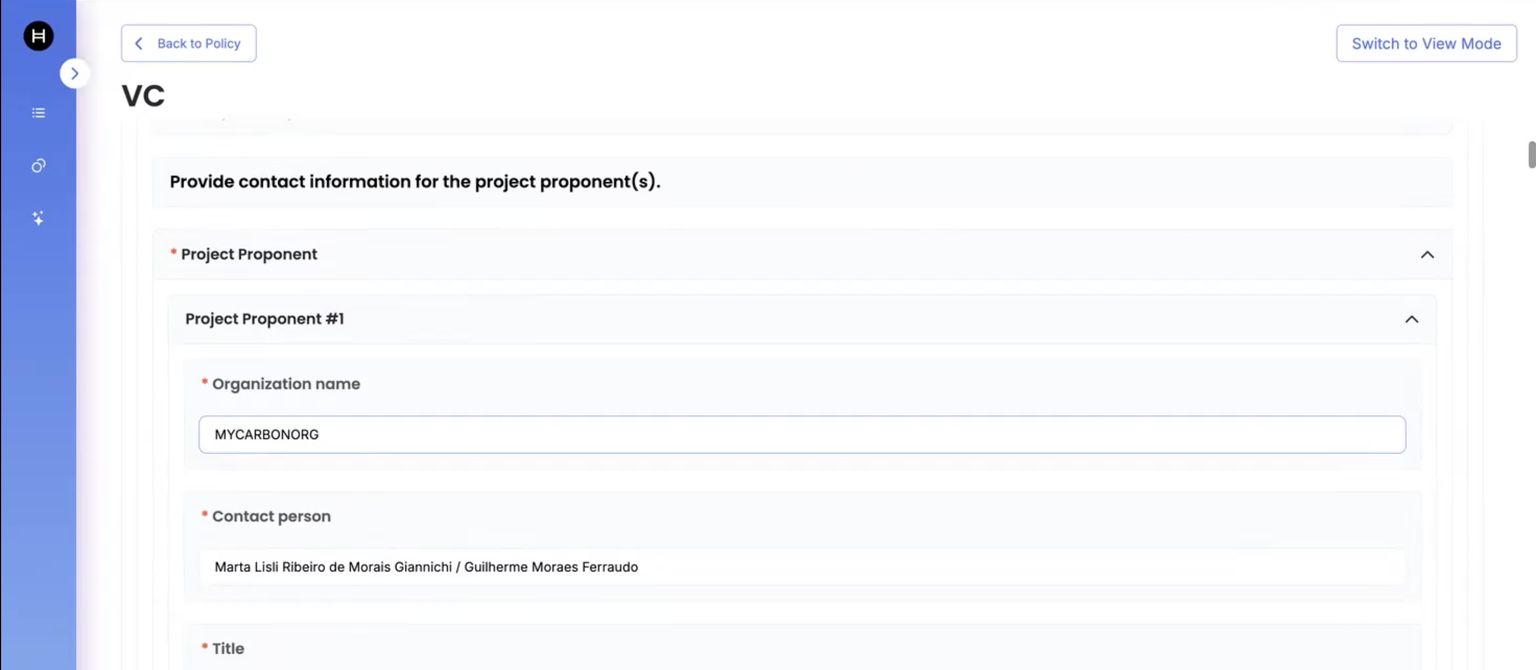
7. Now, we would be changing the field: Organization name from MYCARBON3 to MYCARBONORG and save it.

<figure><img src="https://3006114282-files.gitbook.io/~/files/v0/b/gitbook-x-prod.appspot.com/o/spaces%2FXVOaWpJKxLZf1Tee9eCO%2Fuploads%2FQJ7KxAgPmyGt1NtCaHvX%2Fimage.png?alt=media&amp;token=33659529-c917-4aed-a99c-063b5bd9534a" alt=""><figcaption></figcaption></figure>

<figure><img src="https://3006114282-files.gitbook.io/~/files/v0/b/gitbook-x-prod.appspot.com/o/spaces%2FXVOaWpJKxLZf1Tee9eCO%2Fuploads%2FsXHWa2AhRmQ69Iib57qy%2Fimage.png?alt=media&amp;token=1baf2704-f091-4c08-9923-d025336dc003" alt=""><figcaption></figcaption></figure>

<figure><img src="https://3006114282-files.gitbook.io/~/files/v0/b/gitbook-x-prod.appspot.com/o/spaces%2FXVOaWpJKxLZf1Tee9eCO%2Fuploads%2FiJRL18C49HAE2RwZSHM2%2Fimage.png?alt=media&amp;token=14e64780-dded-4fb0-9ccd-cb9eb1d532a5" alt=""><figcaption></figcaption></figure>

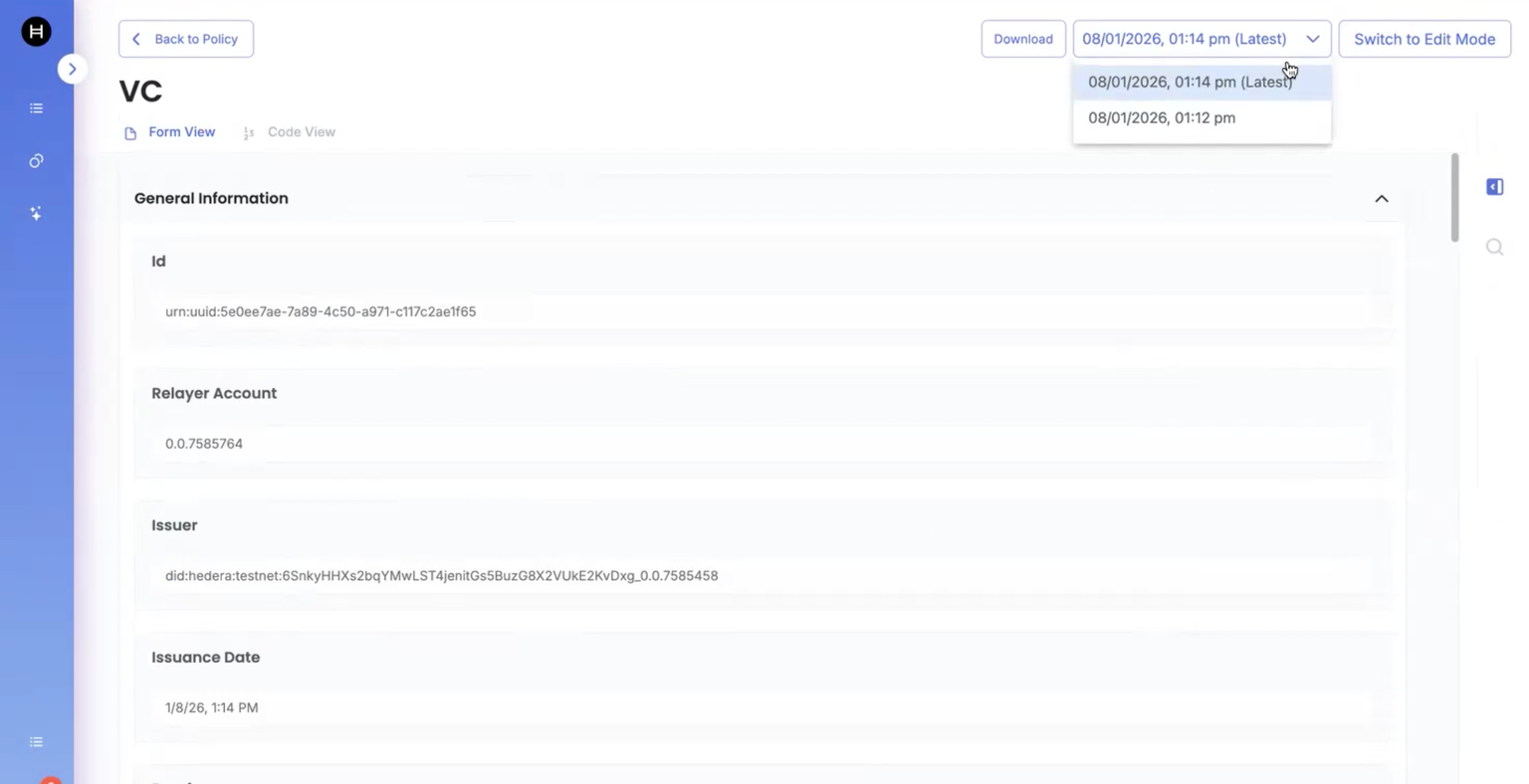
8. Once saved, we should be able to see two versions of the documents:
<figure><img src="https://3006114282-files.gitbook.io/~/files/v0/b/gitbook-x-prod.appspot.com/o/spaces%2FXVOaWpJKxLZf1Tee9eCO%2Fuploads%2FszwLhAWTpM3tA7io4uw3%2Fimage.png?alt=media&amp;token=f33d1008-1d32-4bda-886b-896e5d9fb94d" alt=""><figcaption></figcaption></figure>