> For the complete documentation index, see [llms.txt](https://docs.guardianservice.app/llms.txt). Markdown versions of documentation pages are available by appending `.md` to page URLs; this page is available as [Markdown](https://docs.guardianservice.app/technical-information/users/standard-registry-users-schemas-and-policies/policies/available-policy-workflow-blocks/dropdown-block-addon-dropdownblockaddon.md).
# Dropdown Block Addon (dropdownBlockAddon)
The purpose of this block is to display an interactive dropdown menu in the interfaceDocumentsSourceBlock.
## Usage
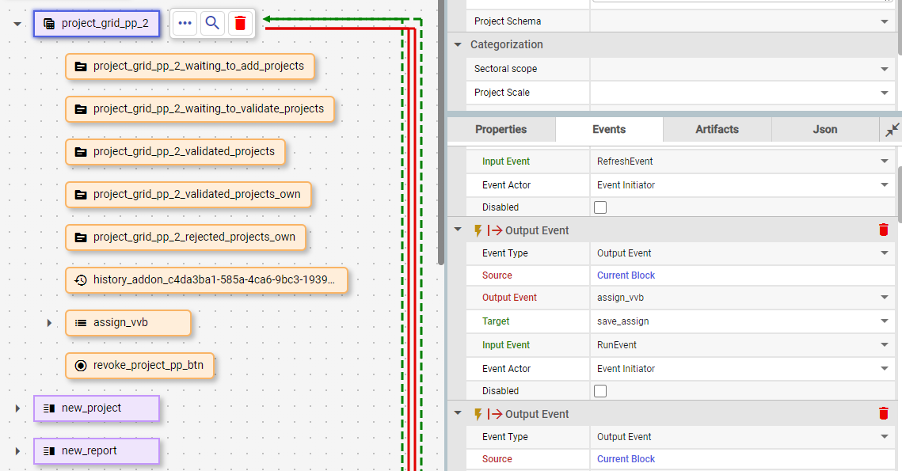
As shown in the example below, dropdownBlockAddon blocks should be placed inside interfaceDocumentsSourceBlock blocks. Source addons, which return documents for the dropdown, should be placed inside dropdownBlockAddon.
## Properties
| Property Name | Description | Example | Status |
| ---------------------------- | ----------------------------------------------------------------------------- | ----------------------------------- | ------ |
| Option Name (*optionName*) | The label (name) which is shown in dropdown items. | document.credentialSubject.0.field0 | |
| Option Value (*optionValue*) | The value which will be used when a specific item is clicked. | document.credentialSubject.0.id | |
| Field (*field*) | The field in selected document which will be populated with the option value. | assignedTo | |
## Events
Dropdown block addon events will be automatically added to document source.
## API
The API for the dropdownBlockAddon has both GET and POST methods:
1. Example response to the GET request:
```
{
"id": "47169fdc-900f-4e07-abb4-5510d7be1175",
"blockType": "dropdownBlockAddon",
"optionName": "document.credentialSubject.0.field0",
"optionValue": "document.credentialSubject.0.id",
"field": "assignedTo",
"documents": [
{
"name": "example",
"optionValue": "did:hedera:testnet:9XvzF671JeyoVRg8PvSZBTTyKyrvnZu2Mz7qE6FZXY8P_0.0.4481265",
"value": "66b28683d029375c10f0f4ef"
}
],
}
```
A response to the GET request includes all block settings and:
* documents - Dropdown options
2. Example payload for the POST request:
```
{
"documentId": "66b28672d029375c10f0f4b6",
"dropdownDocumentId": "66b28683d029375c10f0f4ef"
}
```
* documentId - Selected document
* dropdownDocumentId - Dropdown item which was clicked