> For the complete documentation index, see [llms.txt](https://docs.guardianservice.app/llms.txt). Markdown versions of documentation pages are available by appending `.md` to page URLs; this page is available as [Markdown](https://docs.guardianservice.app/technical-information/users/mgs-vault/mgs-vault/hashicorp-vault-integration-with-mgs.md).
# HashiCorp Vault Integration with MGS
First, Log into your tenant using your Username, Password and Tenant ID.
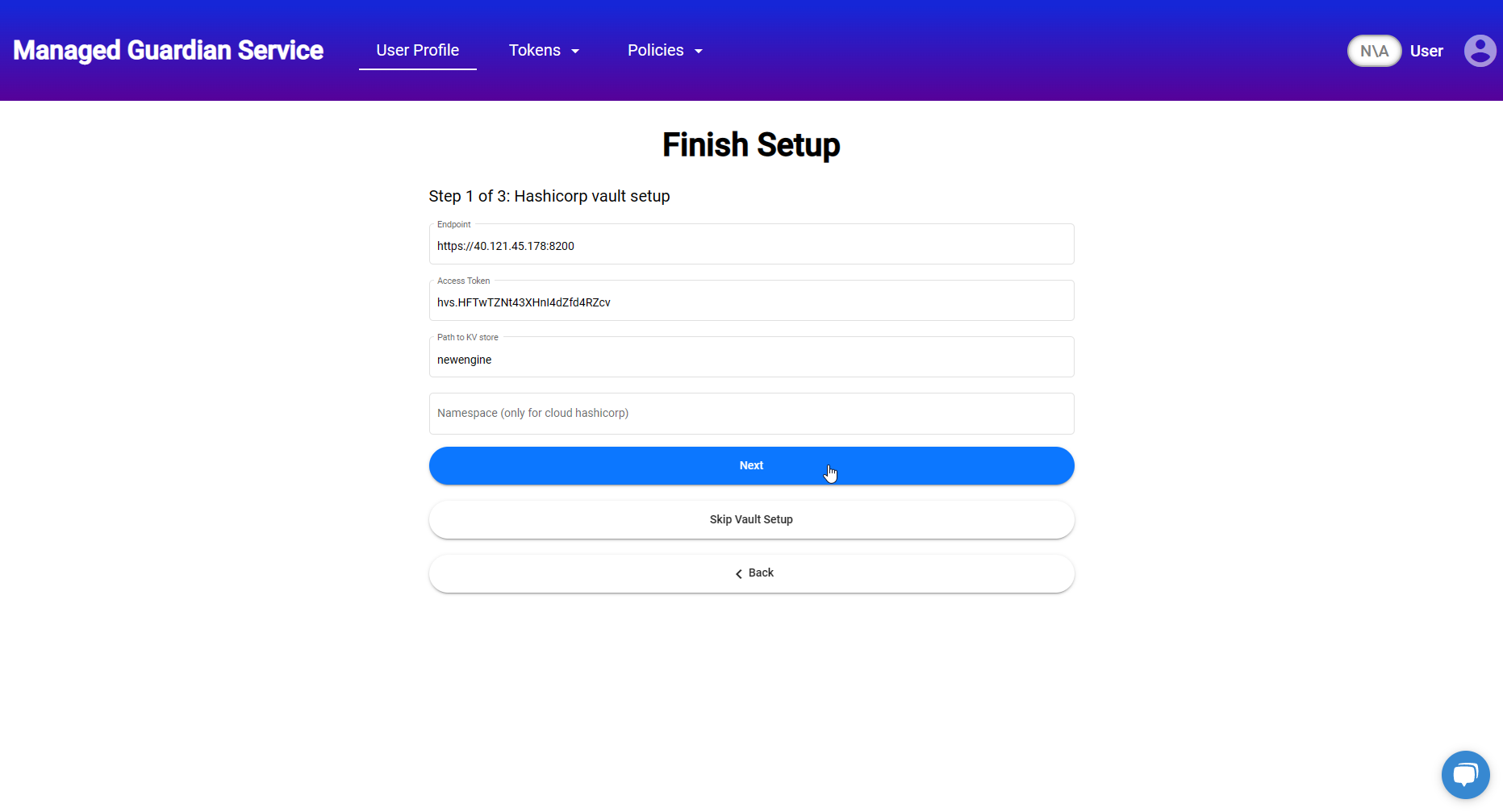
After login ,click the “Next” button and then fill out the following form fields:
* Endpoint. This is your Vault server IP address.
* Access Token. This is your Vault access token. For example, this is the token you get during the vault unsealing we discussed earlier.
* Path to KV store. This is the path you put during the Secret Engine setup.
* Namespace. If you are using the Hashicorp Cloud Vault, you should fill this out. Otherwise, leave it empty.
After filling the form click the “Next” button.
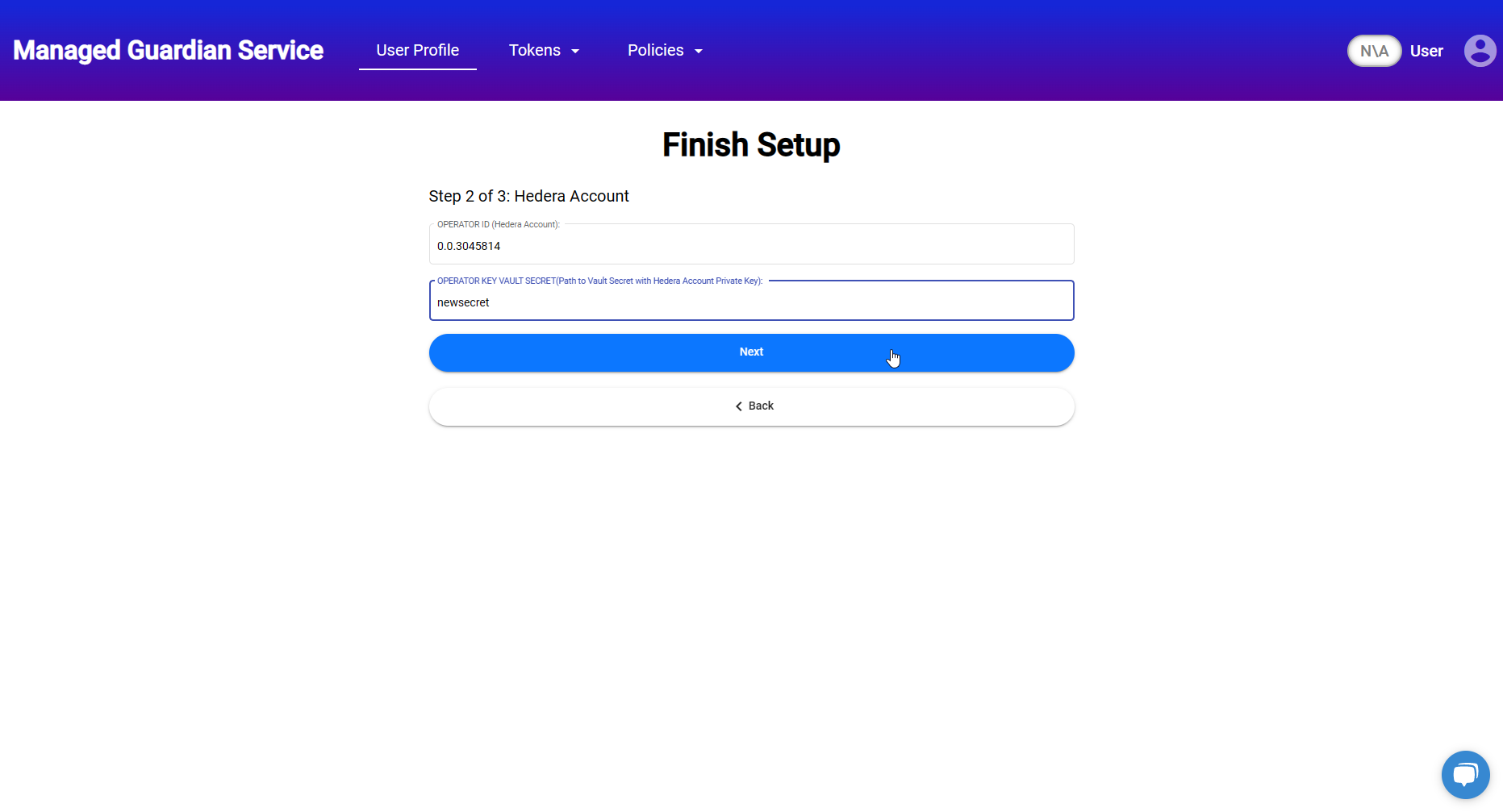
On the next form, enter your Hedira Account ID and the path you created during the creation of the secret in the Vault. After that, click the “Next” button and you are all set.
Keep in mind, if you are setting up a Standard Registry user profile, there will be one more form to fill out, but that is not relevant to the Vault's integration.
To briefly re-cap this video, you can secure your digital assets with the Managed Guardian Service Vault. The secure self-custody solution.
At this point, the setup is complete, and you can proceed to using the Managed Guardian Service.