> For the complete documentation index, see [llms.txt](https://docs.guardianservice.app/llms.txt). Markdown versions of documentation pages are available by appending `.md` to page URLs; this page is available as [Markdown](https://docs.guardianservice.app/technical-information/library-of-policy-examples/mrv-aggregation-and-splitting-for-minting-tokens.md).
# MRV aggregation and splitting for minting tokens
For a demo example of following steps, here is the policy timestamp: **1675266693.102366003**
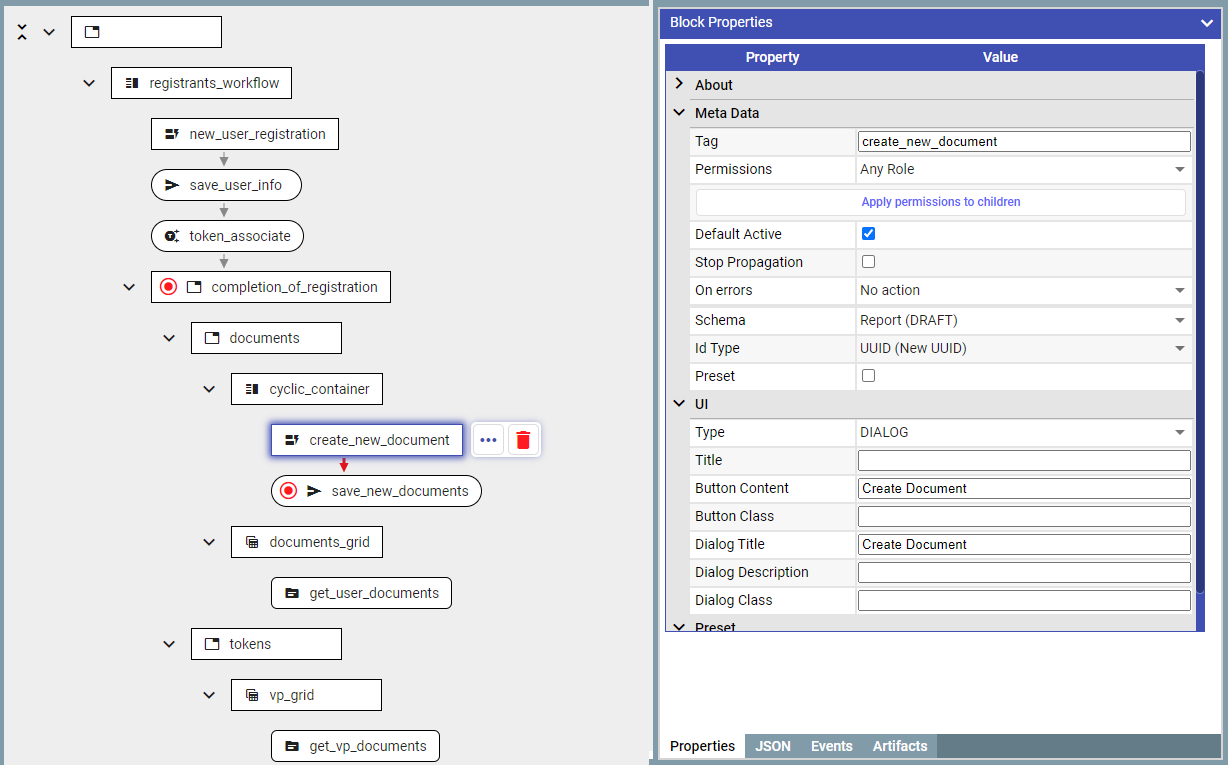
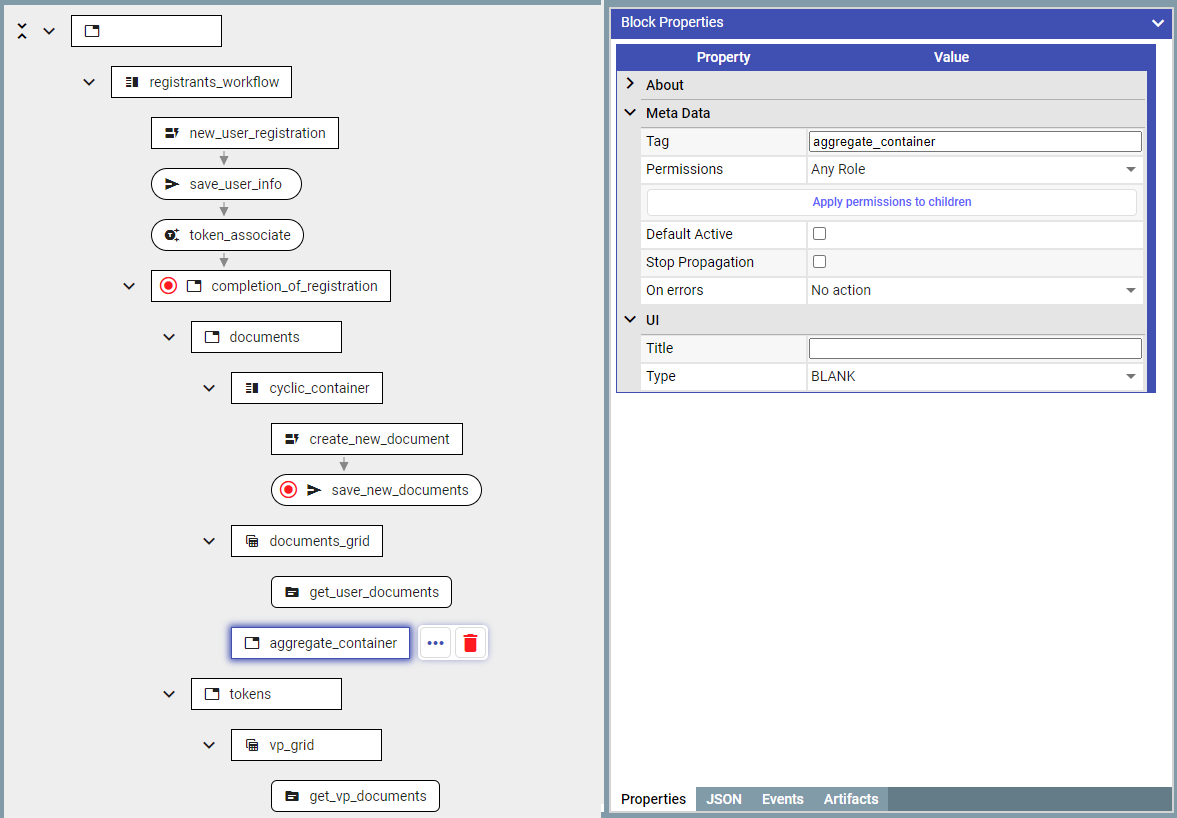
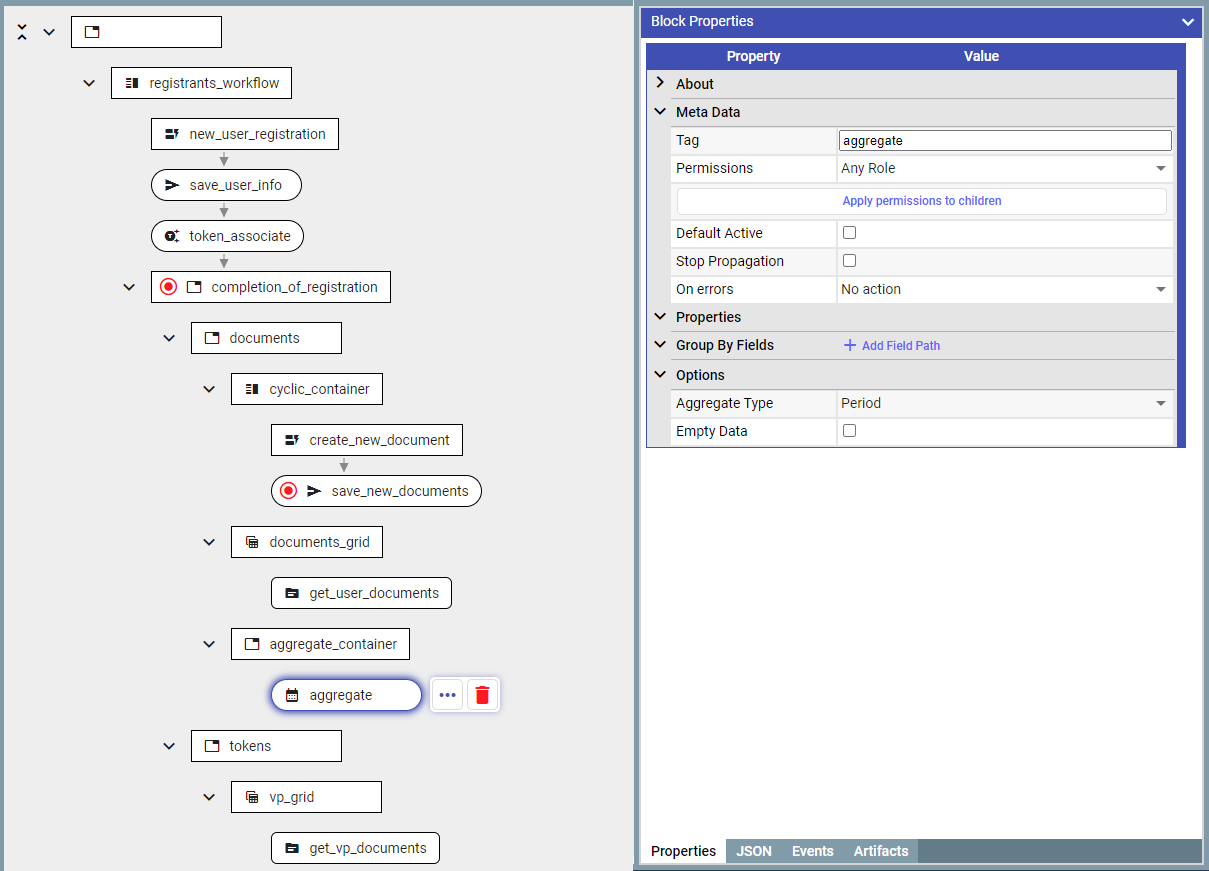
### Adding aggregateDocumentBlock in separate containerAdding aggregateDocumentBlock in separate container**Task**
MRV documents feature a numerical measurement field. The values in this field are periodically aggregated, in this example we will use 1 minute period.
The purpose of the aggregation is to mint tokens, in this example 1 token will be minted for each part which equal to 1000 of the aggregated value.
### **Preparation**
Create a token and 2 schemas (**User** and **Report**). For simplicity the token will not require a KYC.
Build the first part of the document entry:
*(Please see* *examples* [*2* ](/technical-information/library-of-policy-examples/data-input-via-forms-using-roles-to-partition-user-activities.md)*and* [*3*](/technical-information/library-of-policy-examples/token-operations.md) *for more detailed description of this)*
#### **Aggregate:**
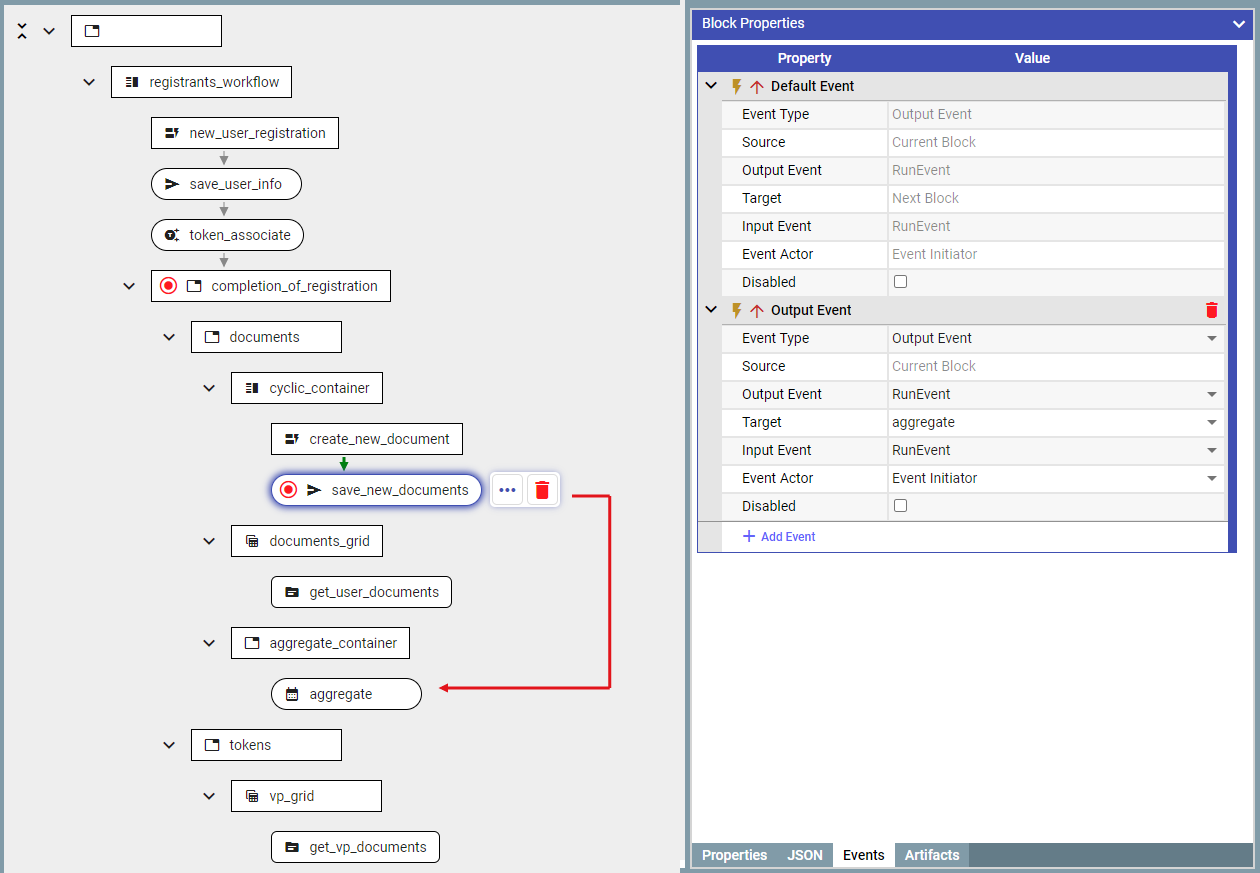
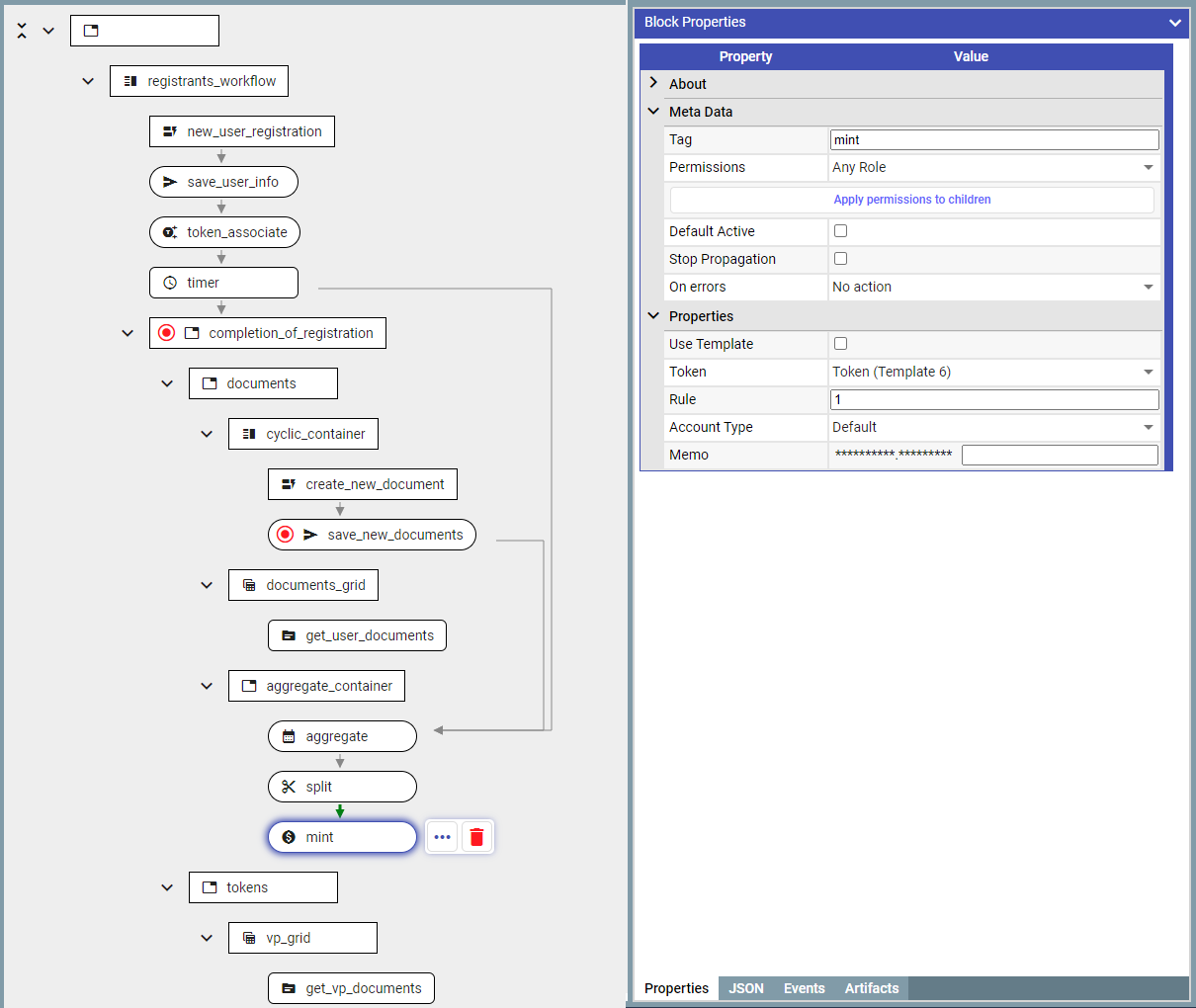
1. Add ‘**aggregateDocumentBlock**' after saving the document in the database. This is the block which would accumulate documents/values until the condition is met (which in this case is the event from the timer).
1.1 Put '**aggregateDocumentBlock**' in a separate container to avoid it from interfering with the working of '**interfaceStepBlock**'
1.2 Pass the document to the ‘***aggregateDocumentBlock***' after it is saved.
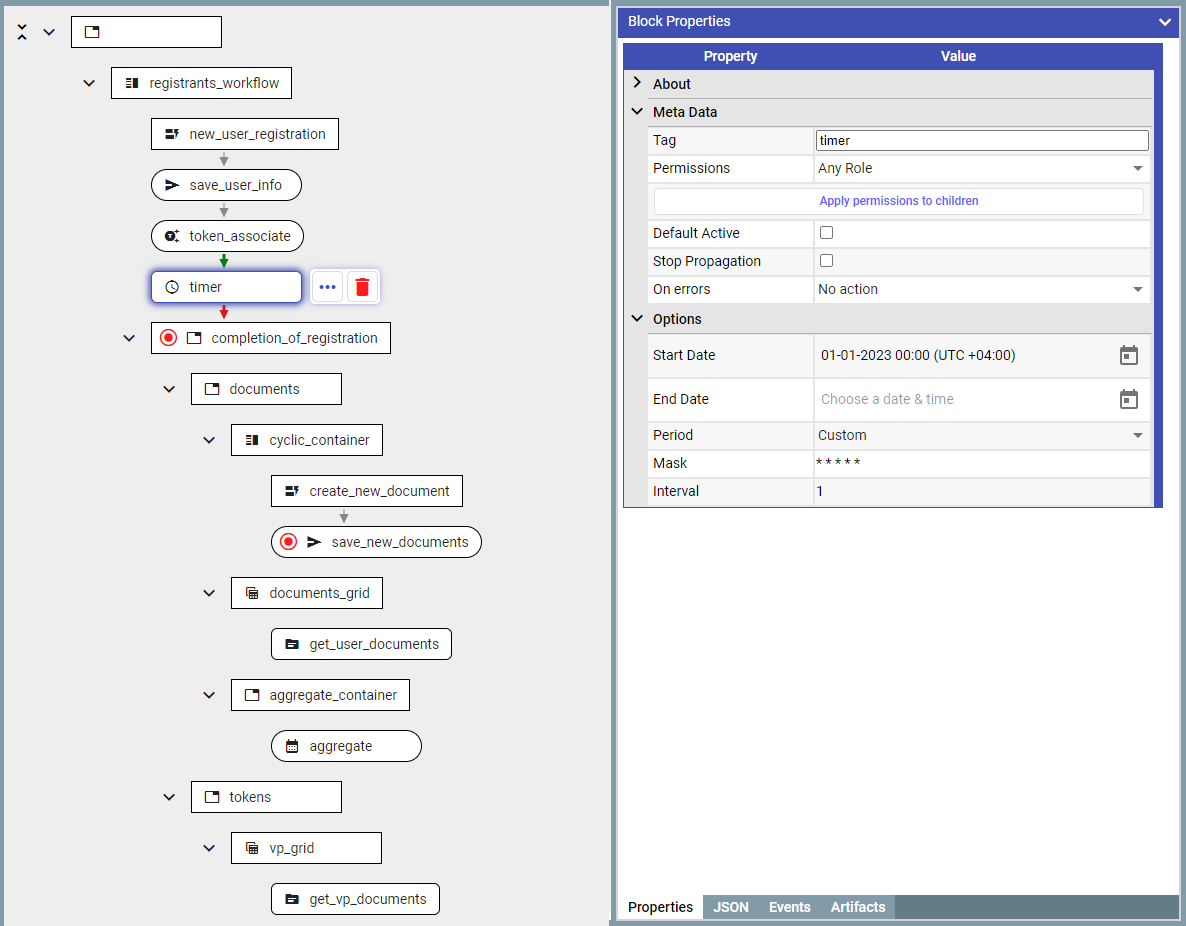
2. Timer is a separate block called '***timerBlock***'
2.1 For each user there is a separate timer execution context (i.e., each user has an independent timer). For this it requires a document owned by the user to be passed into this. To ensure this, let’s add the timer immediately after user registration.
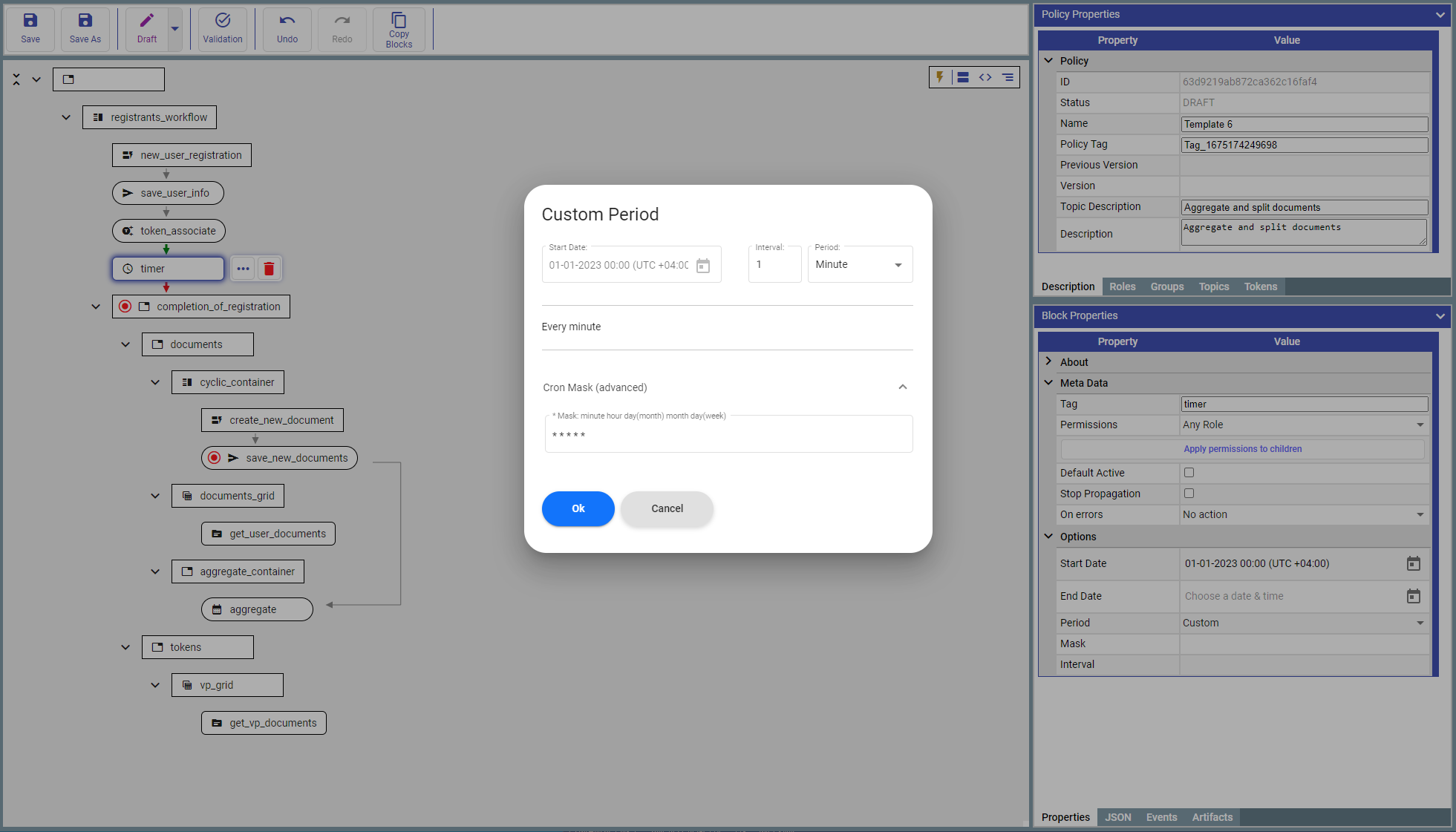
2.2 Set the timer to trigger every minute
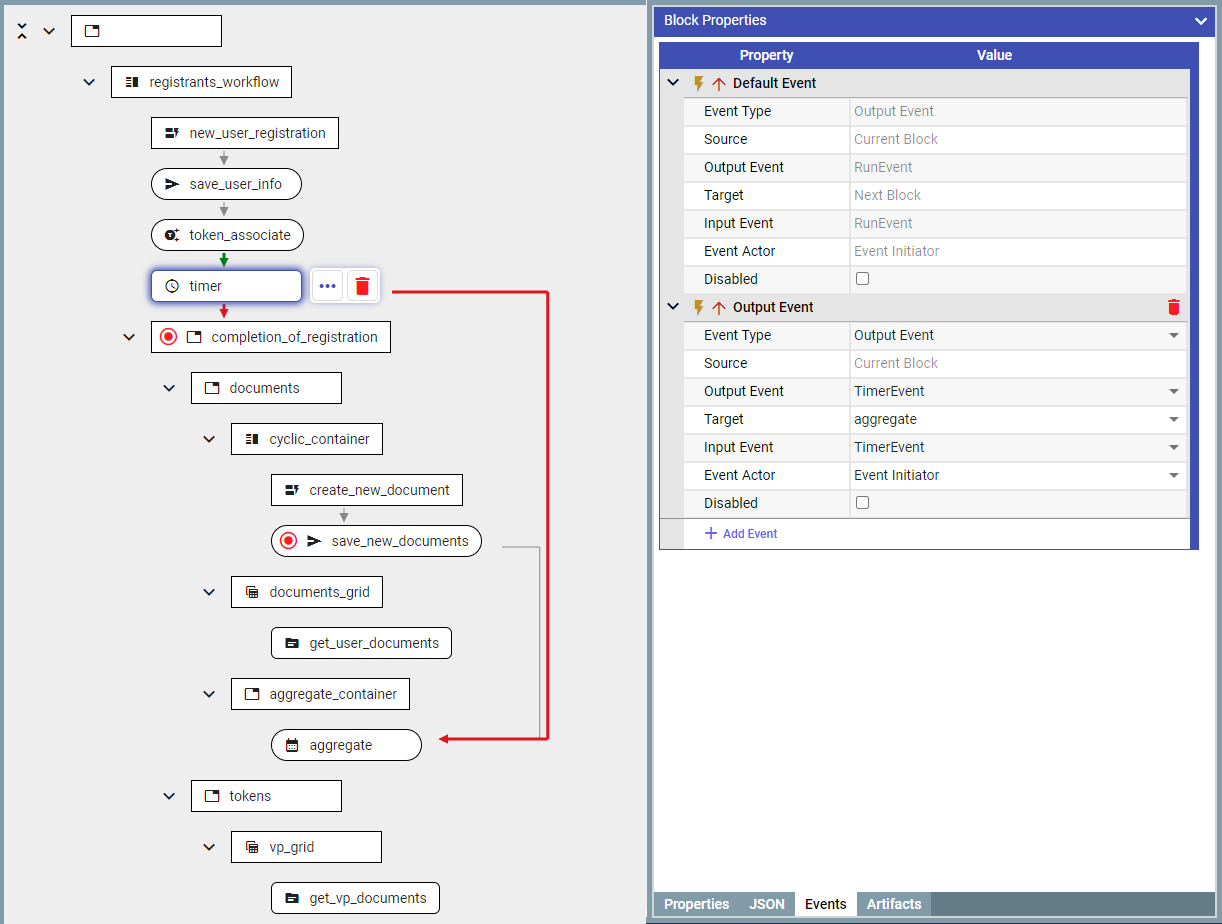
2.3 Now after the timer is launched, it would create a ‘**TimerEvent**’ periodically every minute. And then connect it with ‘***aggregateDocumentBlock***':
#### **Split:**
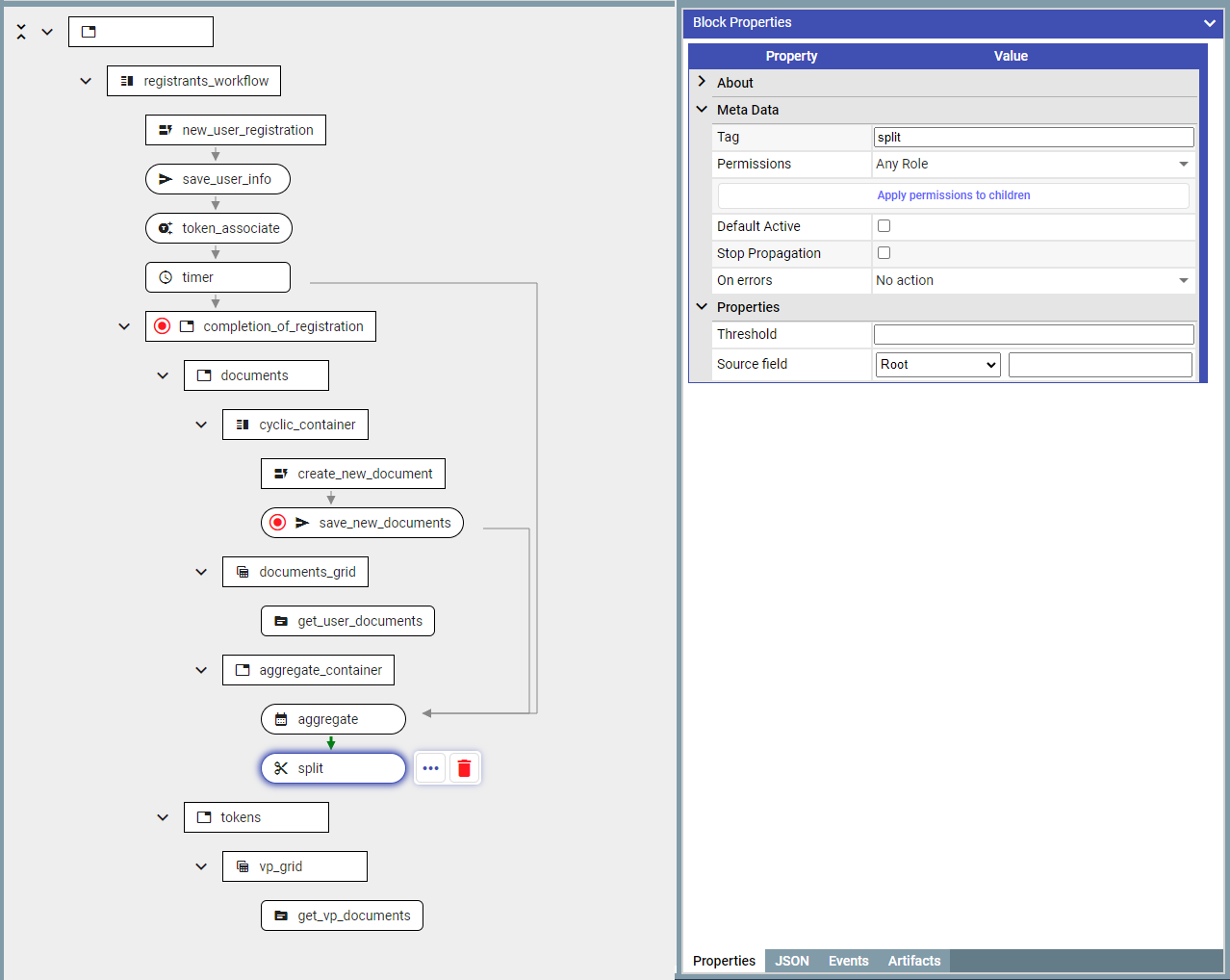
1. To split the document into equal parts, add '***splitBlock***'
1.1 Add '***splitBlock***' immediately after the '***aggregateDocumentBlock***'
1.2 Configure the document field which would be used for splitting/aggregation
1.3 Set a ‘**Threshold**’ to configure the value for splitting the document.
Setting the Threshold for split
#### **Mint:**
Add '***mintDocumentBlock***' immediately after ‘***splitBlock***' to mint tokes and configure the minting rule